
Kashmir University BG 3rd Sem Result 2025: The University of Kashmir has declared the result of UG 3rd semester (NEP) on 23 March 2026 on the official website. To access the result candidates must visit the Kashmir University Official Website at www.egov.uok.edu.in & move to results tab to & tap on the link titled as “BG 3rd semester (NEP) batch 2024 and backlog batches examination of Session Dec, 2025 “. The students can check the result by using their Roll Number or Name or Registration Number & tap on SEARCH to get the details. Alternatively, you can download the college wise result PDF & use CTRL+ F to find your name in PDF file. It includes candidates name, roll number, registration number, subject wise marks & overall rank along with grades. For more details, read the complete article.
KU BG 3rd Sem NEP Batch 2024 Result- Overview
| University | University of Kashmir |
|---|---|
| Category | Sarkari Exam |
| Exam Name | BG 3rd Semester (NEP) |
| Batch | 2024 |
| Result Status | Declared |
| Result Date | 23 March 2026 |
| Official Website | www.egov.uok.edu.in |
| Required Credentials | Roll Number / Name / Registration Number |
| Result Mode | Online |
| Details Mentioned | Name, Roll No., Registration No., Marks, Grades, Rank |
| Kashmir University WhatsApp Group | JOIN NOW |
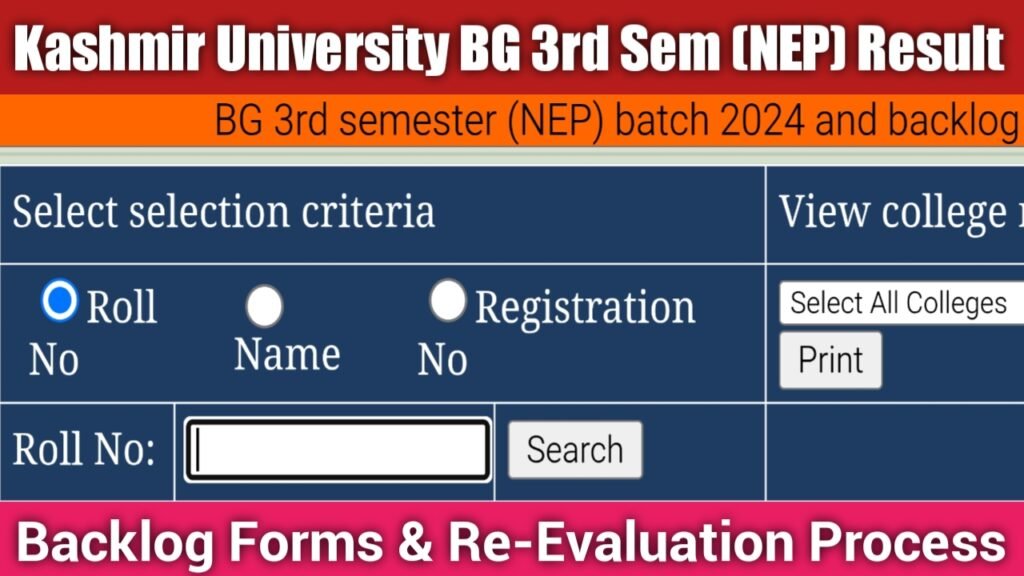
KU BG 3rd Sem NEP Batch 2024 Result Declared
The Kashmir University has declared result of Undergraduate 3rd semester (NEP) batch 2024 on the official portal at https://egov.uok.edu.in/results/viewresult.aspx. All students can access it using their roll number, name or registration number. The link to submit objections or backlog forms will be shared separately. Candidates are advised to visit the official portal frequently for updates.
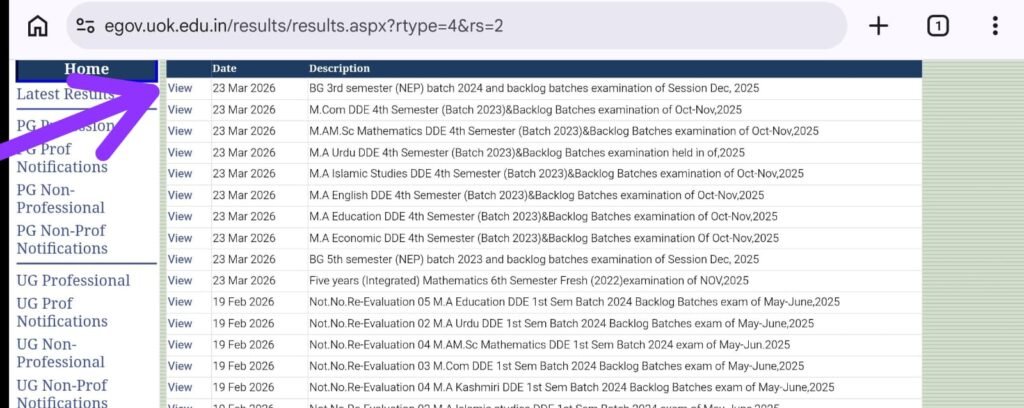
Details Printed on KU BG 3rd Sem Result?
- Candidate Name
- Roll Number
- Registration Number
- Semester
- Course/Stream
- Subject-wise Marks
- Total Marks
- Grades
- Result Status
- Overall Rank
Kashmir University Result Re-Evaluation Process
Students who are NOT SATISFIED with the university result can fill the objection form through the official website @egov.uok.edu.in after the separate link is shared. Candidates must have a valid reason or proof to submit the objection & a nominal processing fee will be charged to process the request. For timely updates, visit the official webiste.
Steps to Apply Online for Kashmir University BG 3rd Sem (NEP) Result 2025 Batch 2024?
- Visit the official website @www.egov.uok.edu.in
- Click on the Results section
- Find and open “BG 3rd Semester (NEP) Batch 2024” link
- Enter your Roll Number / Name / Registration Number
- Click on Search
- Your result will appear on the screen
- Download or print the result for future use

Important Links
| WHATSAPP GROUP LINK | JOIN NOW |
| Result Link | CLICK HERE |
What to do After Result?
After the declaration of results, students should:
- Prepare for the next semester
- Apply for re-evaluation/rechecking (if needed)
- Keep track of upcoming academic notifications
Steps to Fill Kashmir University BG 3rd Sem (NEP) Backlog Form?
The University of Kashmir is expected to release the BG 3rd Semester backlog examination form shortly after the declaration of the 2025 results. Students who have failed or received a backlog in any subject should regularly check the official website for updates and apply within the given deadline to avoid late fees.
- Visit the official website @www.egov.uok.edu.in
- Go to the Examination / Student / Backlog Form section
- Click on “BG 3rd Semester Backlog Form 2025” link
- Enter your Registration Number / Roll Number
- Fill in the required details carefully
- Select the subjects you want to apply for backlog
- Upload required documents (if asked)
- Pay the application fee online
- Review all details before final submission
- Submit the form and download/print the confirmation receipt
FAQs
You need your Roll Number, Name, or Registration Number.
Yes, candidates must pay the prescribed fee online